Zing Play, is a well-known digital entertainment platform established in Vietnam. Zing Card (Vietnam) is the platform currency, allowing users to purchase in-game items for popular mobile games such as PUBG Mobile VN, Call of Duty: Mobile VN, Mobile Legends: Bang Bang VNG, Rules of Survival, and other available Vietnamese mobile game. Zing Card also supports Vietnamese Anime MMO mobile games.
Important note for PUBG players: This method is only valid for players who are playing the PUBG Mobile Vietnam version.
Step 1: Once you have completed the purchase from SEAGM, kindly retrieve your game card code in "My Cards".
Step 2: Kindly visit the ZingPay Webshop.
Step 3: Select the game you want to top up in the ZingPay Webshop by clicking the "Topup now" option.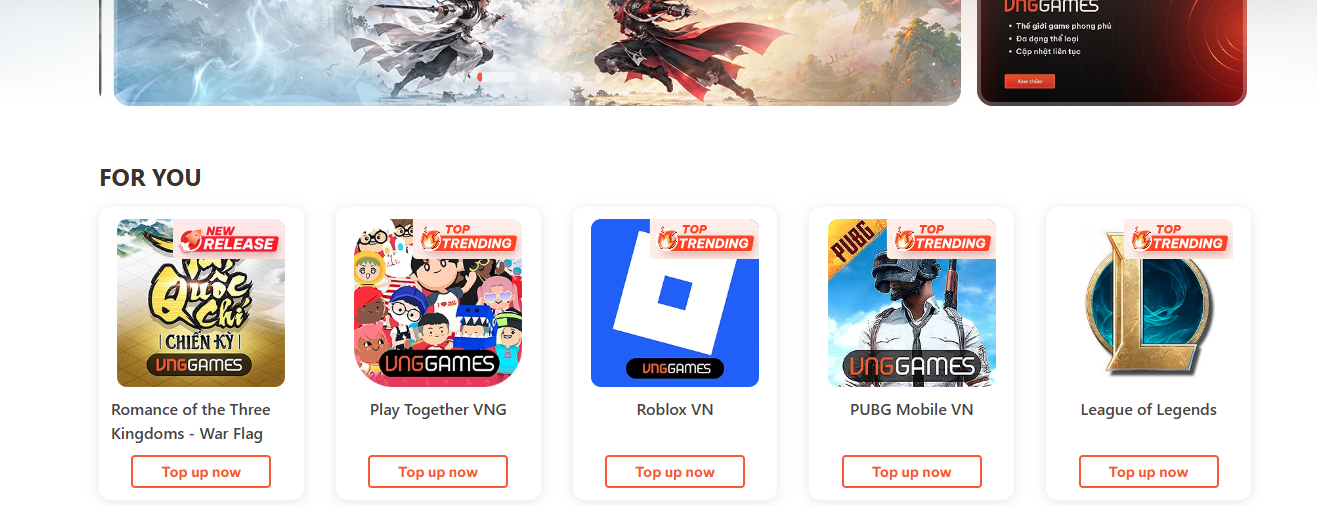
Step 4: Enter your Login Game Account Information or the User ID of the game you chose.
Step 5: Select the in-game currency pack and choose “Zing Card” as your payment method then enter the Serial Number, Pin you bought from SEAGM, and click "Choose this payment method".
 Step 6: Once the card is successfully loaded, the item/package will be loaded to the character directly. You may also log in to the game account to check the balance/item purchased.
For more detailed information, please refer to the Zing Pay Official Site.
ขอบคุณ
เยี่ยมชม เว็บไซต์สนับสนุน SEAGM เพื่อรับคำตอบและคำแนะนำอย่างรวดเร็ว
ต้องการความช่วยเหลือใช่ไหม? ติดต่อเรา ฝ่ายสนับสนุนลูกค้า ผ่านทาง LiveChat .