Zing Play, is a well-known digital entertainment platform established in Vietnam. Zing Card (Vietnam) is the platform currency, allowing users to purchase in-game items for popular mobile games such as PUBG Mobile VN, Call of Duty: Mobile VN, Mobile Legends: Bang Bang VNG, Rules of Survival, and other available Vietnamese mobile game. Zing Card also supports Vietnamese Anime MMO mobile games.
Important note for PUBG players: This method is only valid for players who are playing the PUBG Mobile Vietnam version.
Step 1: Once you have completed the purchase from SEAGM, kindly retrieve your game card code in "My Cards".
Step 2: Kindly visit the ZingPay Webshop.
Step 3: Select the game you want to top up in the ZingPay Webshop by clicking the "Topup now" option.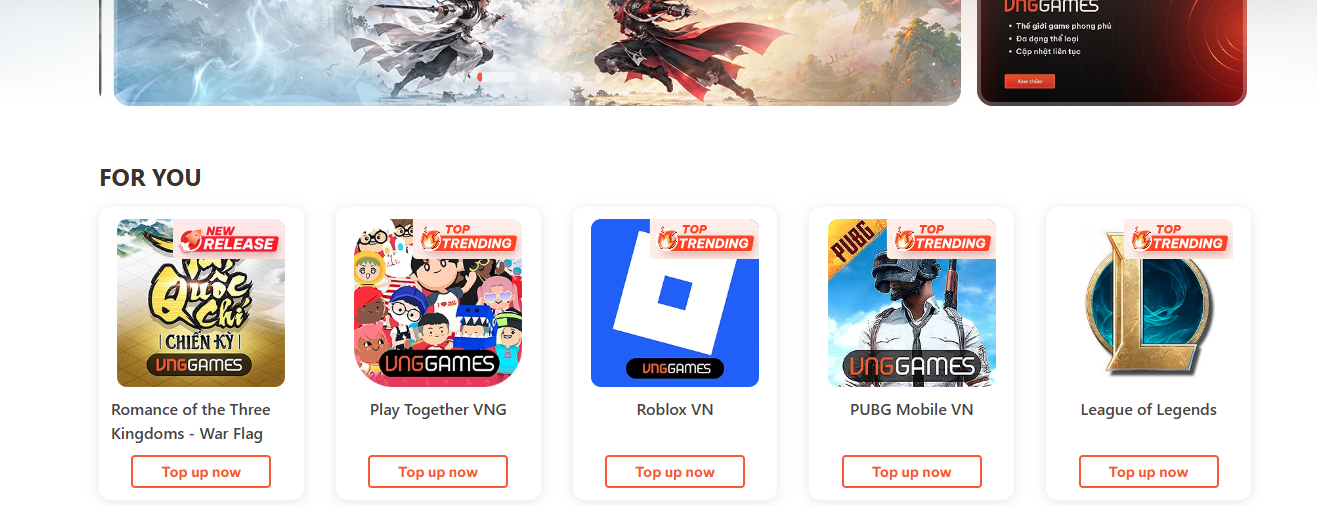
Step 4: Enter your Login Game Account Information or the User ID of the game you chose.
Step 5: Select the in-game currency pack and choose “Zing Card” as your payment method then enter the Serial Number, Pin you bought from SEAGM, and click "Choose this payment method".
 Step 6: Once the card is successfully loaded, the item/package will be loaded to the character directly. You may also log in to the game account to check the balance/item purchased.
For more detailed information, please refer to the Zing Pay Official Site.
Thank you.
Visit the SEAGM Support site for quick answers and guides.
Need support? Contact our Customer Support via LiveChat .