Mobile Legends: Bang Bang was released in 2016, a mobile multiplayer online battle arena developed and published by Moonton. Join your friends in a brand new 5v5 MOBA showdown against real human opponents in Mobile Legends. Choose your favorite heroes and build the perfect team with your comrades-in-arms today.
Important Regional Restrictions:
- Mobile Legends Diamonds (Mdirect) can only be redeemed by users located in the Middle East.
- Mobile Legends Diamonds (Mdirect) is not available for users in Russia, Singapore, the Philippines, Brazil, Malaysia, and Indonesia.
Please check the regional requirements carefully before placing your order.
Step 1: Once the purchase from SEAGM is completed, kindly retrieve your game card code in "My Cards".
Step 2: Visit the official website of Mobile Legends: Bang Bang (Mdirect) to proceed with code redemption.
Step 3: Kindly select the denominations purchased from SEAGM and enter your email, account ID, and zone ID.
Step 4: Once entered, kindly confirm the information and click on "validate player ID" to proceed.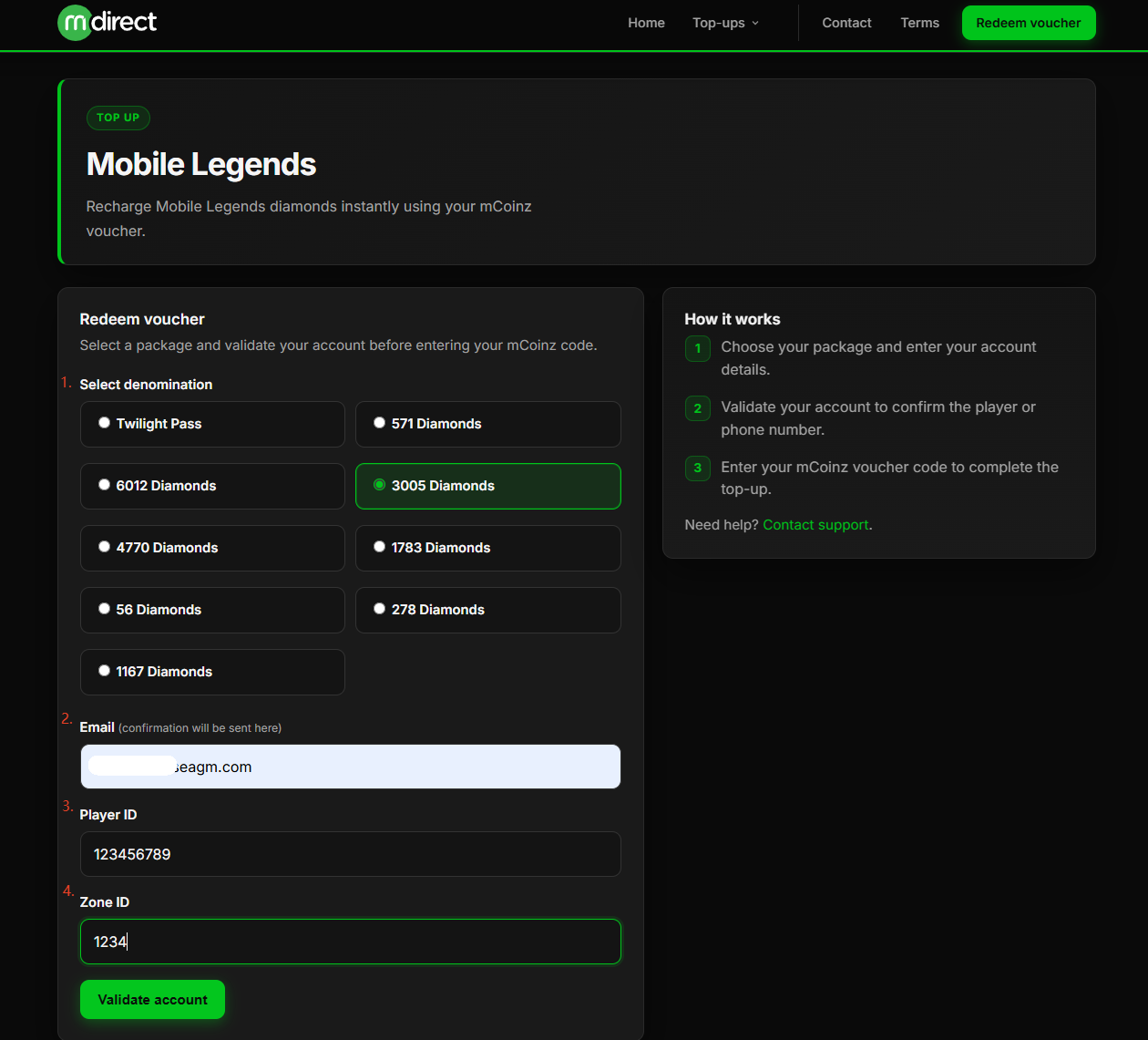
Step 5: A pop-out message will be shown once you click " Validate "; please confirm and click "Continue". 
Step 6: Once agree on it, your player name will be shown, and kindly enter the redemption code purchased from SEAGM, then click on "Top Up Account".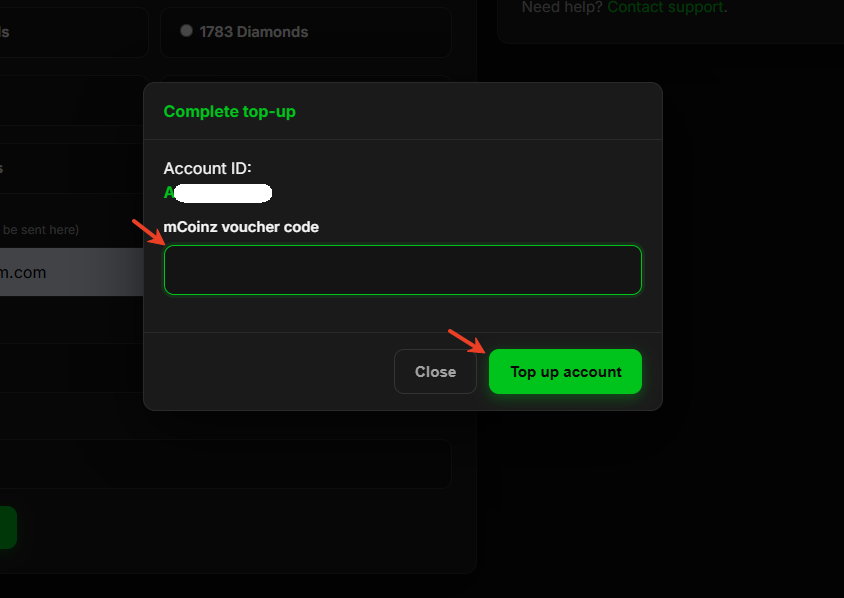
Step 7: Once the transaction is completed, you will receive diamonds directly in the game.
Thank you.
Visit the SEAGM Support site for quick answers and guides.
Need support? Contact our Customer Support via LiveChat .